Deftara Billing · For recurring plans
Free for now
The billing system an Australian internet provider runs on.
Deftara Billing creates each cycle’s GST invoices, takes card and direct debit payments through Stripe, chases overdue accounts and gives your customers a portal to pay. We set it up for businesses that bill the same customers every week, month or year.
Who it’s for
Built for recurring plans, not one-off jobs.
If you bill the same customers every week, month or year and spend too long chasing payments, Deftara Billing is built for that. If you send a handful of one-off invoices a month, a simpler tool will do.
- Internet and phone resellers billing monthly plans
- Service businesses on weekly to yearly contracts
- Teams that collect by card or direct debit
- Businesses that still post bills to some customers
What it does
What it takes off your desk each cycle.
- Recurring billing
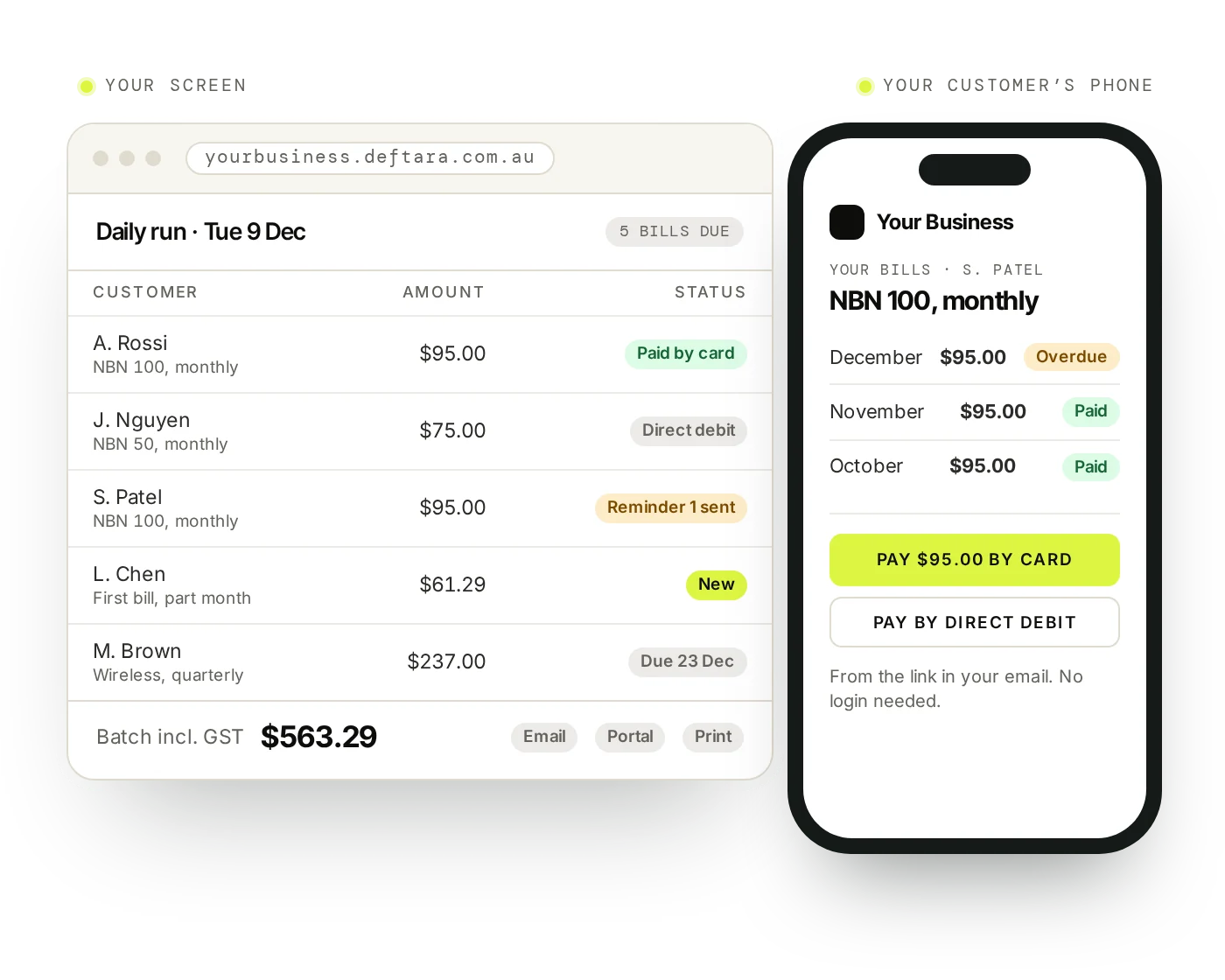
- Weekly, fortnightly, monthly, quarterly or yearly plans. A daily run creates the bills, including part-month first bills and mid-cycle plan changes.
- GST invoices
- GST-inclusive invoices, credit notes and quotes as PDFs. A quote converts to an invoice in one step.
- Card and direct debit
- Customers pay by card or Australian direct debit through Stripe, from a link that needs no login. Saved cards and accounts are charged automatically.
- Overdue reminders
- Set your own reminder sequence and wording, add late fees after a grace period, and waive them when it is fair.
- Customer portal
- Customers sign in with an emailed link to view and download bills, pay, see statements and accept quotes.
- Statements and email
- Statements for any date range, a monthly statement run, and a preview of every email before it goes. Delivery and bounces are tracked.
- Customers and complaints
- Services and plans per customer, suspension with warning letters, bulk price-change notices, a leads pipeline and tickets with a complaint register.
- Reports
- GST with input tax credits, aged receivables, profit and loss and a monthly reconciliation.
How it works
What happens each billing cycle.
Set up
Add customers and put each service on a plan.
Create
A daily run creates the bills that are due.
Send
Review the batch, then email, publish to the portal or print.
Collect
Stripe takes card and direct debit payments.
Chase
Reminders and late fees follow your rules.
FAQ
Questions about Deftara Billing.
What does it cost?
Nothing for now. We set up your own copy free, with your branding and your customers brought across. Card and direct debit fees on your own Stripe account stay with you, and new features or our marketing services are optional paid extras.
Is it shared software or our own system?
Your own. Each business gets its own copy, with its own data, branded with your logo, colours and business details. Your customers’ data isn’t mixed with anyone else’s.
Which payment methods does it take?
Card and Australian direct debit through Stripe, plus partial payments and instalment plans. BPAY isn’t available yet.
Can we still post bills?
Yes. Mark customers for paper bills, add an optional paper-bill fee, and print them in batches from a queue.
Does it connect to Xero or MYOB?
Not yet. You can export invoices, payments, customers, products and expenses as CSV.
Can it bill call or data usage?
No. It bills plans, one-off charges and device repayments, not metered usage.