Deftara POS · For repair shops
In build
Sell the case, book in the repair, balance the till.
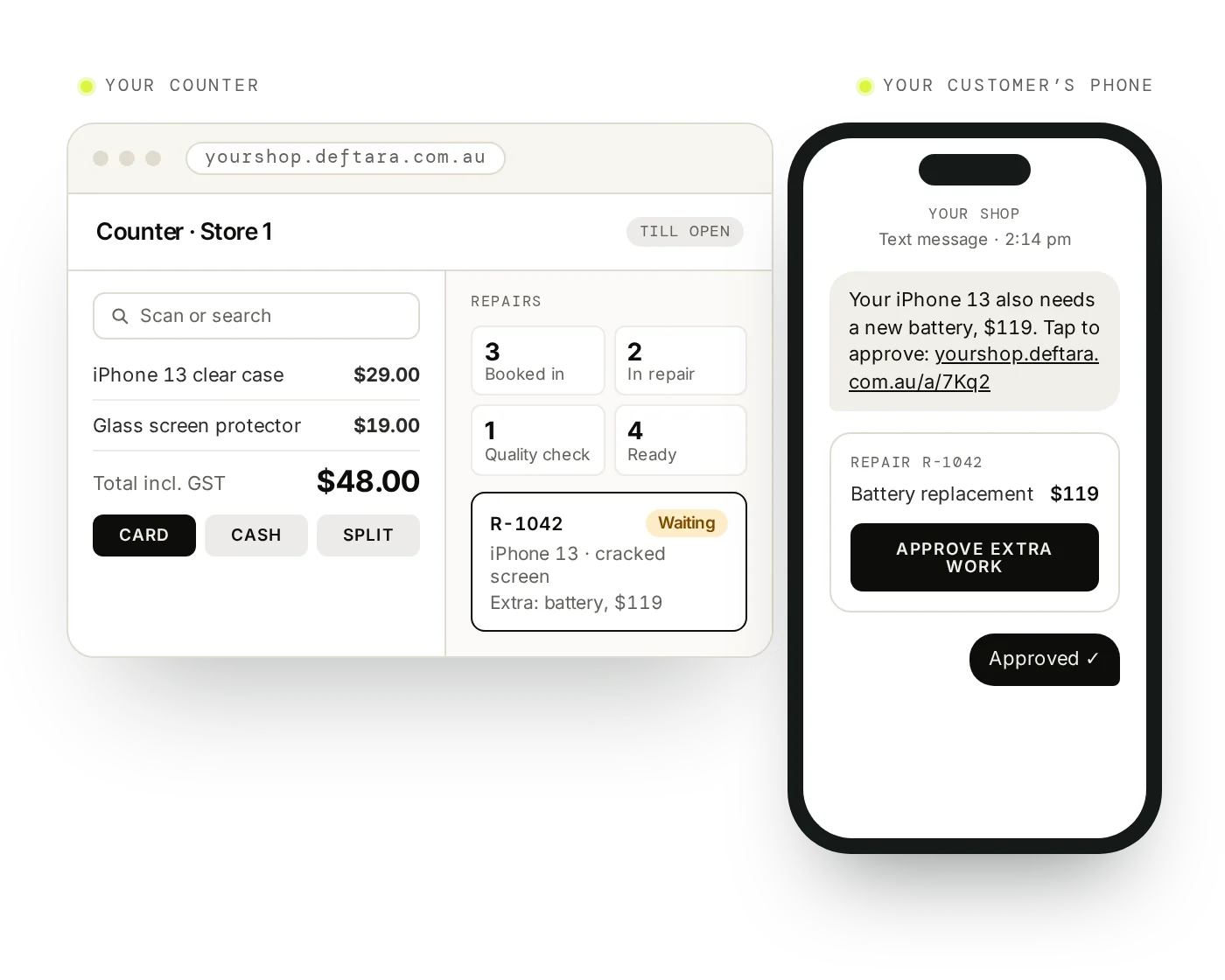
Sell accessories at the counter, book a repair in with its IMEI and condition, track it to pickup and keep your stock right, all in the browser. We’re building it now to replace Lightspeed at an Australian phone repair shop. It isn’t ready for other shops yet, so join the waitlist and we’ll tell you when it is.
Who it’s for
For shops that fix as much as they sell.
Phone and device repair shops with a counter, a repair bench and stock to track, in one store or several. If you mostly sell and rarely repair, a general retail POS will do.
- Repair shops moving off Lightspeed or Vend
- Counters selling accessories alongside repairs
- Techs who log the parts used on each job
- Owners running more than one store
What it does
The counter, the bench and the stockroom.
- Counter sales
- Barcode or search, quick keys, split payments, store credit and laybys. Prints GST tax invoices with your ABN and 80mm receipts.
- Repair tickets
- A status board you set up, parts used taken out of stock, and a quality-check list that has to pass before a job is marked ready.
- Device intake
- Device, IMEI, fault, condition and accessories recorded at the counter. Passcodes are stored encrypted.
- Approval by SMS
- Send a link and the customer approves extra work from their phone. Ready-for-pickup texts, pay links and review requests go from the same place.
- Stock
- Variants and serial numbers, purchase orders and receiving, stock counts with a phone camera, supplier returns and a low-stock reorder list.
- Multiple stores
- Tickets, sales and stock kept per store, customers and the catalogue shared, and stock transferred between stores.
- Cash register
- Open with a float, record cash in, cash out and bank drops, and close with the variance and an end-of-day summary.
- Reports and roles
- Sales, repairs against retail, staff, repair types, parts usage and sales by hour, with CSV export. Owner, manager and technician roles, with a PIN to switch operator.
How it works
A repair, from drop-off to pickup.
Intake
Book the device in with IMEI, fault and condition.
Approve
Text the quote and get approval by link.
Repair
Move the ticket along and log the parts used.
Check
Pass the quality check before it is marked ready.
Pickup
Text the customer, take payment and print the invoice.
FAQ
Questions about Deftara POS.
When can we use it?
Not yet. It’s still being built, with an Australian phone repair shop as its first user. Join the waitlist and we’ll tell you when it’s ready to set up for other shops.
What will it cost?
Nothing for now. We set up your own copy free and bring across your products and customers. Card fees stay with your bank, and new features or our marketing services are optional paid extras.
Is it shared software or our own system?
Your own. Each shop gets its own copy, with its own data, set up with your shop’s name and details.
Can we bring our data from Lightspeed or Vend?
Yes. We import your products, customers and past sales when you switch.
What hardware does it need?
A computer with a browser. Any receipt printer installed on that computer works, the cash drawer opens through the printer, and USB barcode scanners work at the counter.
Does it handle returns and refunds?
Yes. Returns, refunds and exchanges, with a choice of refund method and whether each item goes back into stock.
Does it connect to our EFTPOS terminal?
Not yet. You take the card payment on your existing terminal and record it in the POS. Integrated Tyro EFTPOS is coming but not live yet.
Does it work offline?
No. It needs an internet connection.